Google Sheets add-on
All your stores,
in a sheet
you own.
Lemon Squeezy, Polar, Gumroad and Stripe revenue, synced into Google Sheets on a schedule, with an MRR dashboard built for you.
One email at launch. Nothing else.
- Status
- Built and in testing. Not yet on the Marketplace.
- Sources
- Lemon Squeezy, Polar, Gumroad and Stripe, plus CSV
- Free plan
- 1 source, manual refresh
How it works
Connect once. Backfill history. Keep the sheet fresh.
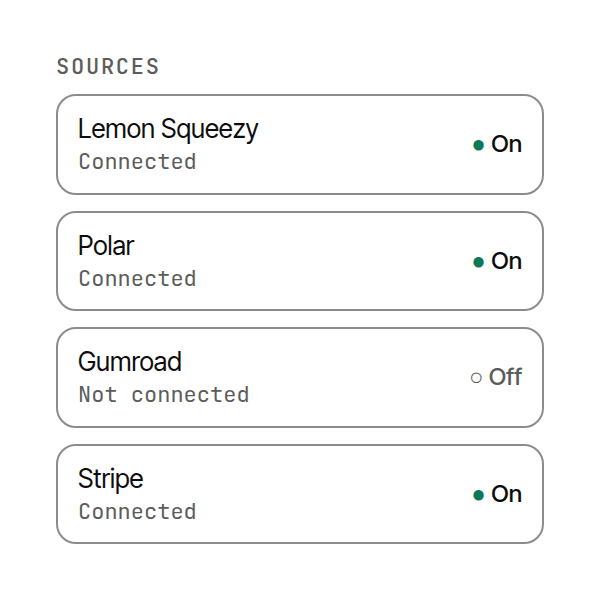
Connect
Paste an API key from Lemon Squeezy, Polar, Gumroad, or Stripe, or import CSV for anything else. No OAuth dance with those stores: the add-on only reads what you grant; it never creates, edits, or refunds.
Keys stay in your Google account. We never receive them. Rotate anytime. How it works →
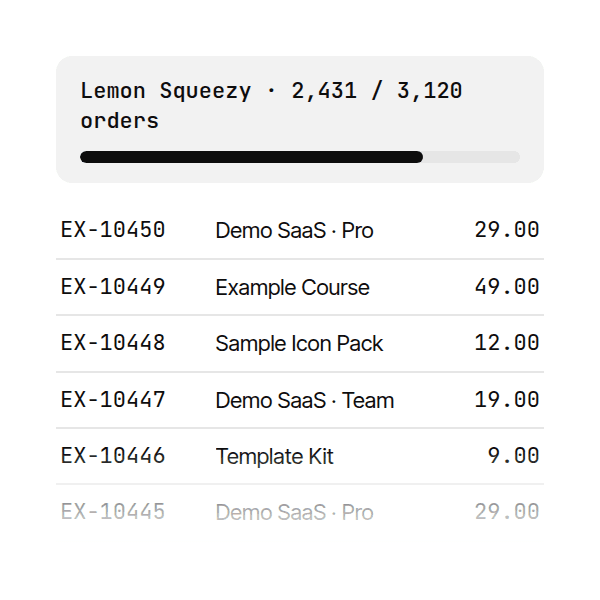
Backfill
We pull full order history into named tabs, not just new rows from today. Then scheduled sync keeps the sheet current.
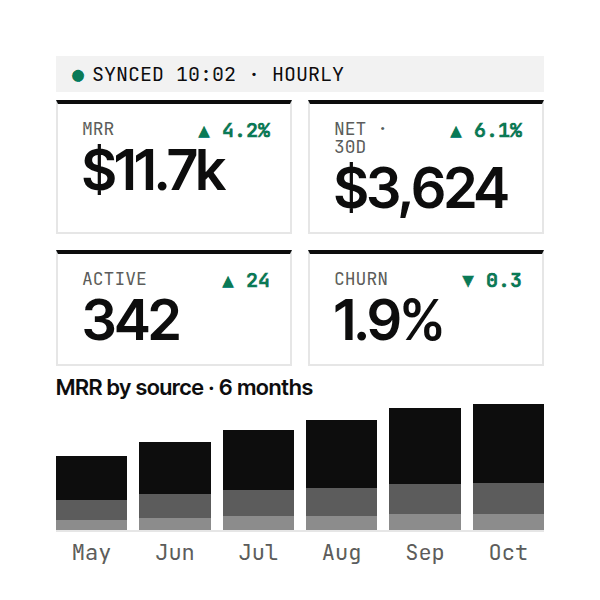
Dashboard
MRR, churn, and revenue by product land on a Dashboard tab built from your data (formulas you can audit and extend).
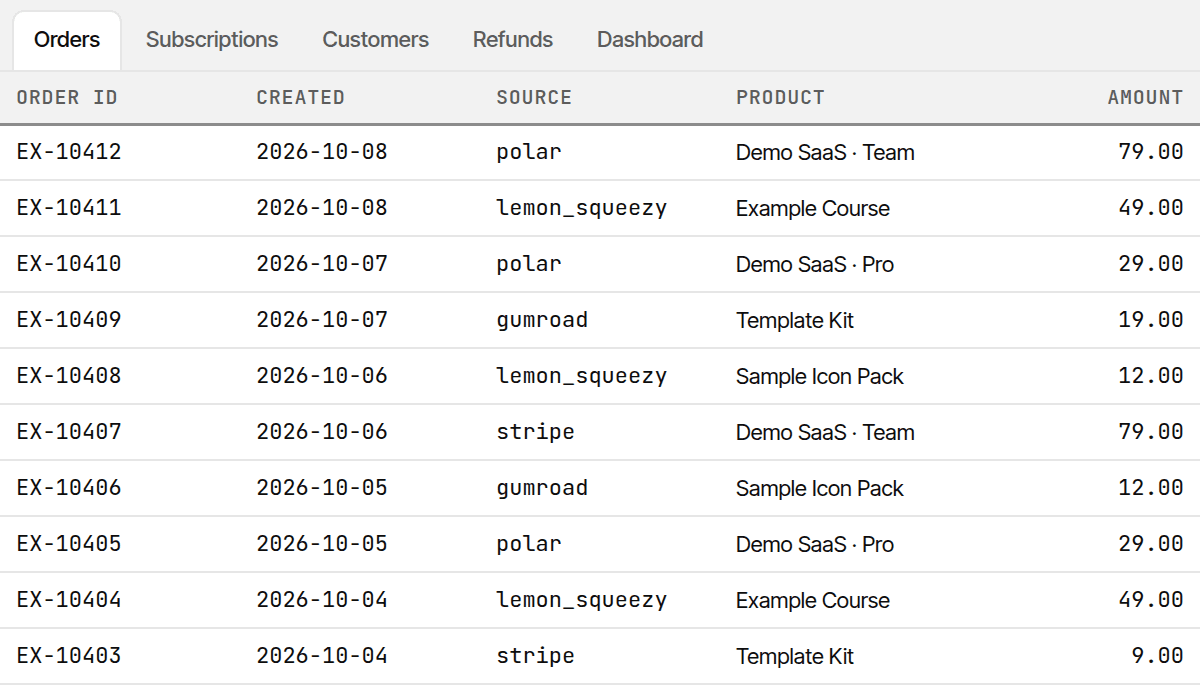
What lands in your sheet
Named tabs you can sort, filter, and formula against.
- OrdersOrder ID, created, source, product, email, amount, status.
- SubscriptionsActive and canceled subs with renewals and MRR contribution.
- CustomersBuyer email, first seen, and last purchase from each connected source.
- RefundsRefunds and chargebacks linked back to the original order.
- DashboardMRR, net revenue, churn, and revenue by product (auto-built).
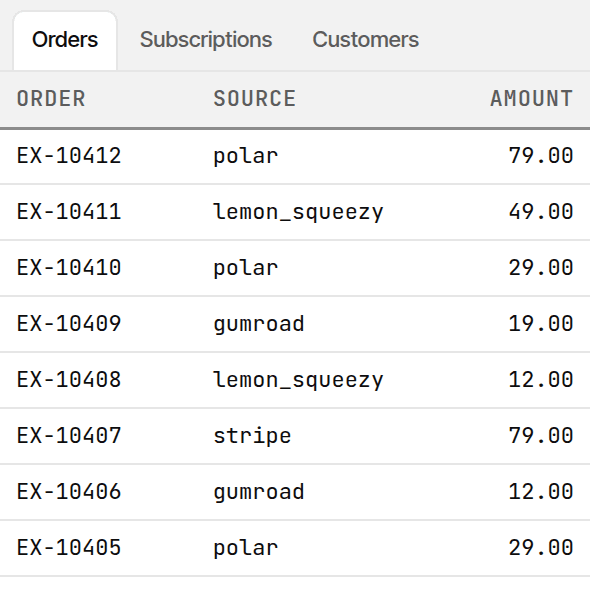
Why a sheet
A spreadsheet you control beats another login.
=QUERY(rs_orders, "select C, sum(F) where G = 'paid' group by C label sum(F) 'Revenue'")| Product | Revenue |
|---|---|
| Lifetime deal | $4,280 |
| Pro annual | $2,160 |
| Starter monthly | $890 |
- You own the data in your Google account.
- Named ranges ready for QUERY and FILTER.
- No new dashboard to learn.
Compare
Append-only tools stop at new rows.
Zapier and Make can stream events without a built-in history backfill or MRR tab. Google Sheets' API Connector has no MRR tab; you build the requests yourself.
| Capability | RevenueSheet | Zapier / Make append | CSV templates |
|---|---|---|---|
| Full history backfill | Yes | No | No |
| MRR dashboard tab | Yes | No | Manual |
| Multi-source (Pro+) | Yes | Extra Zaps | No |
| Scheduled refresh | Hourly to weekly (Pro) | Yes | No |
| Data stays in your Sheet | Yes | Yes | Yes |
Selling on Polar too? RevenueSheet vs Polar’s dashboard →
Pricing
Free to start. Paid plans open at launch.
Free
$0 forever
- 1 source
- Manual (one click) refresh
- Full history backfill
- MRR dashboard tab
Pro
$9/mo
One MRR number across every store, refreshed while you sleep.
- All four sources plus CSV import
- Hourly, every 6 hours, daily or weekly
- Full history backfill
- MRR, churn, and revenue by product and source
Paid plans aren't on sale yet. Refund terms will be published before checkout opens.
Business
$19/mo
For sellers running several stores on one platform.
- All four sources plus CSV import
- Up to 20 stores per source, one combined MRR
- MRR by source
- Hourly, every 6 hours, daily or weekly
Paid plans aren't on sale yet. Refund terms will be published before checkout opens.
Every plan includes the help docs and the support form.
Free covers one store with one-click refresh. Upgrade when you sell in two places or want it to run on its own.
FAQ
Data, scopes, billing.
Where does my data live?
Order and subscription rows land in your Google Sheet. License keys, support messages, and launch invites are stored so we can run the product: on Vercel (hosting), Upstash Redis (licenses and form storage), and Stripe (billing). Details are on the privacy page.
What Google scopes do you need?
Only four Apps Script scopes: the current spreadsheet (spreadsheets.currentonly), outbound HTTPS to source and license APIs (script.external_request), time-driven triggers for scheduled refresh (script.scriptapp), and the sidebar/menu UI (script.container.ui). No Google Drive, Gmail, or Contacts access. Confirm on the consent screen at install.
How do refunds work for paid plans?
Paid plans aren't on sale yet. Refund terms will be published before checkout opens.
How do I cancel?
Open the Stripe customer portal from your receipt email. Your license stays active through the period you already paid for. When that period ends, paid features turn off and Free limits apply if you keep the add-on installed. Your sheet data stays.
Be first in when the
listing goes live.
One email at launch. Nothing else.